Create a AWS EC2 instance
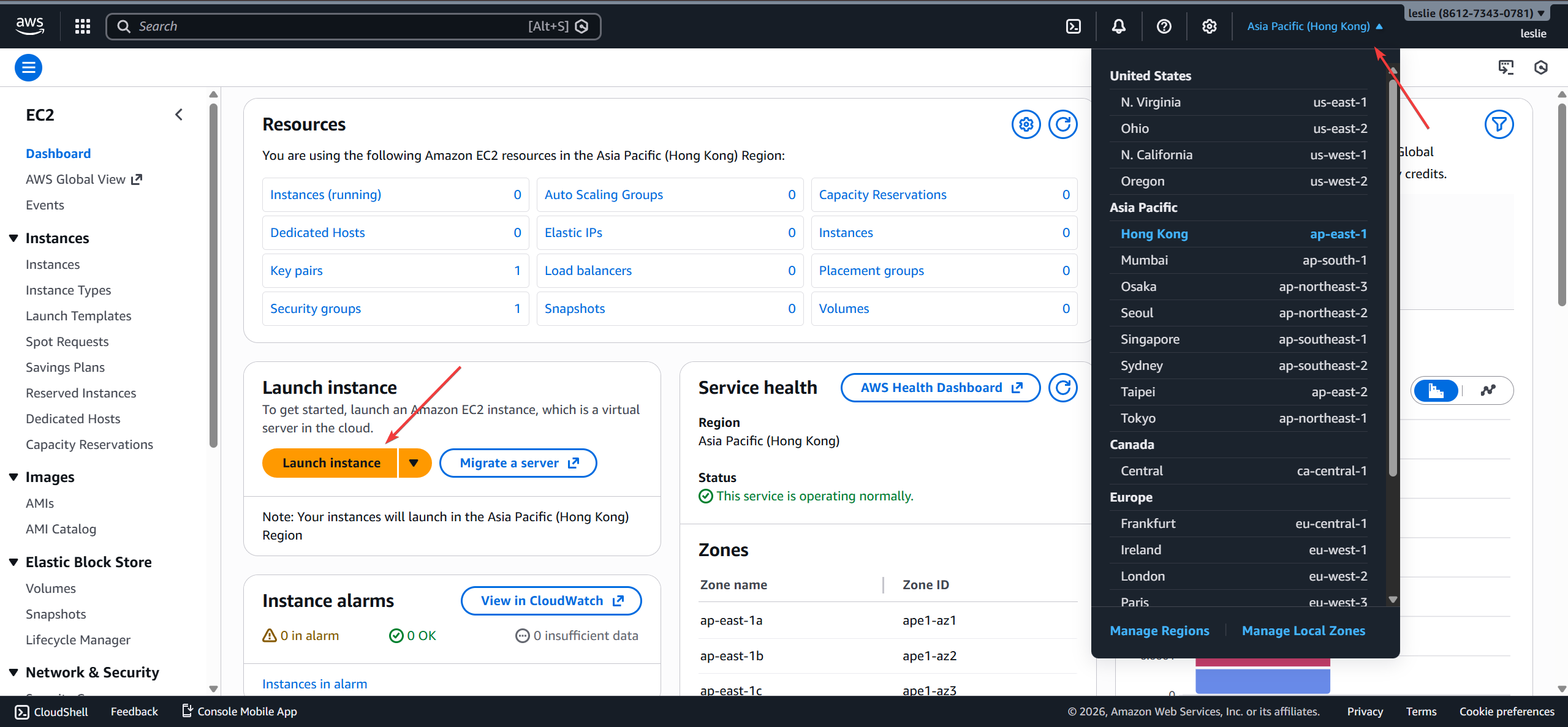
Select the region where you want to create your VPS in the upper-right corner. Then click “Launch an instance” to enter the VPS configuration interface.
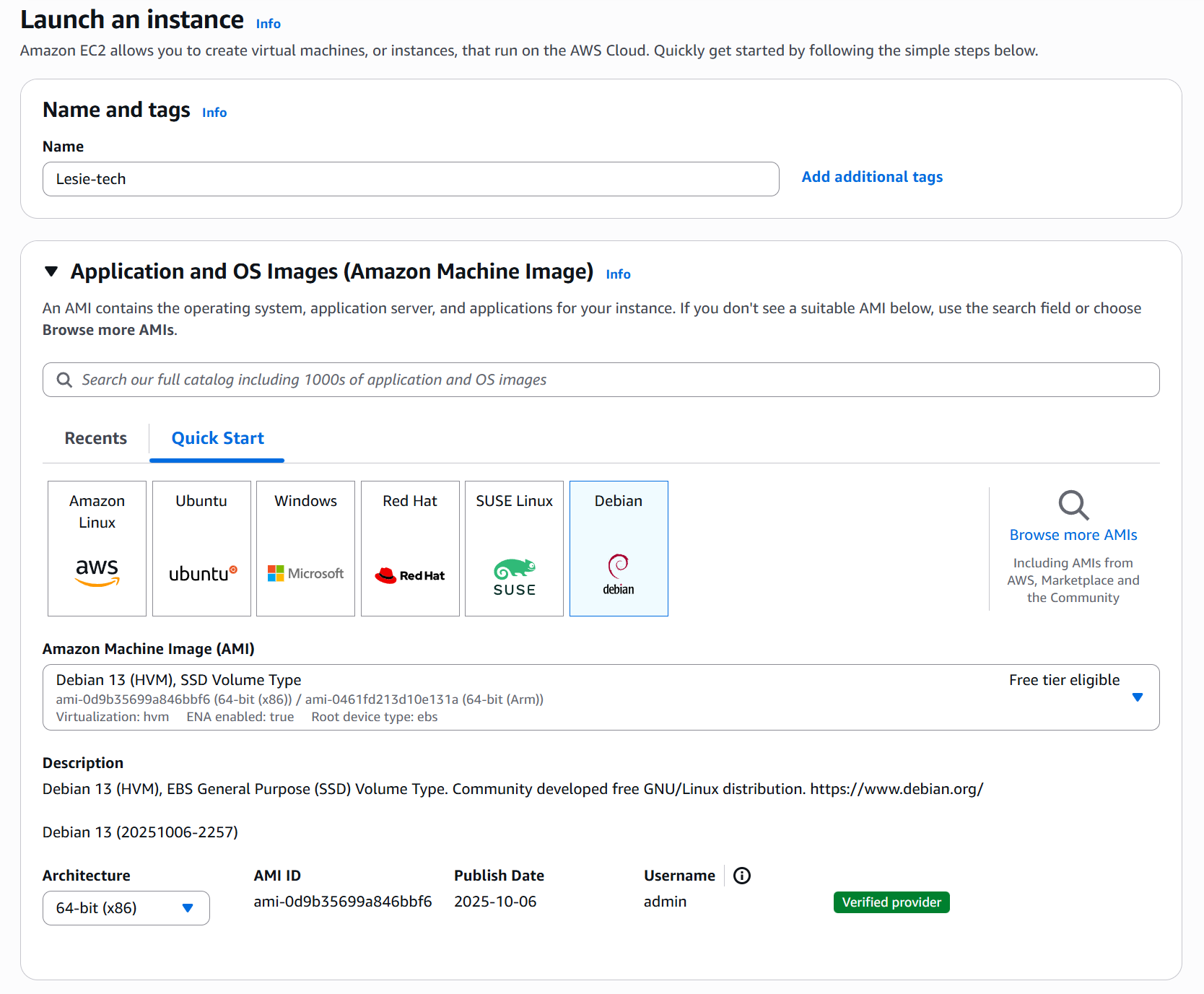
- Name: Fill in whatever you like
- OS image: Select the OS you want On VPS, I choose Debian here.
- rchitecture: Select x86 or arm, I choose x86 here.
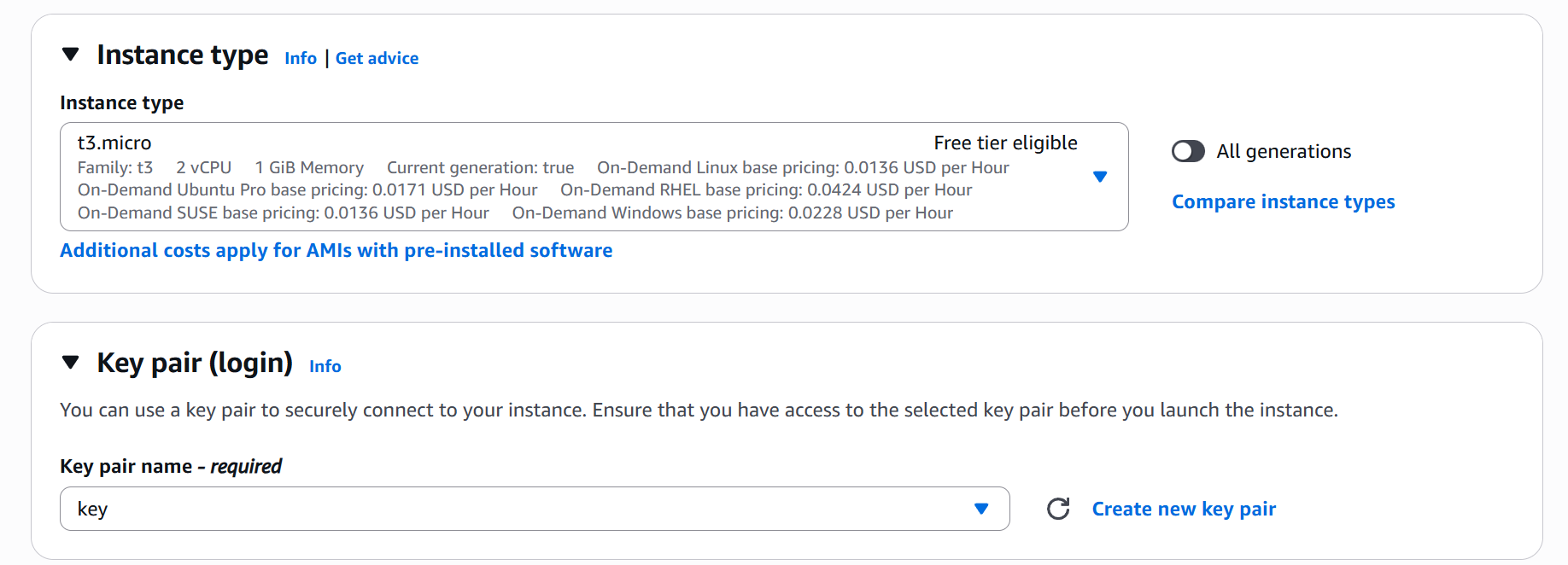
- Instance type: for creating vps proxy node, t3.micro is sufficient.
- Key pair: for SSH login, you must creat a key pair in your computer disk, for first time, choose create a new key pair.
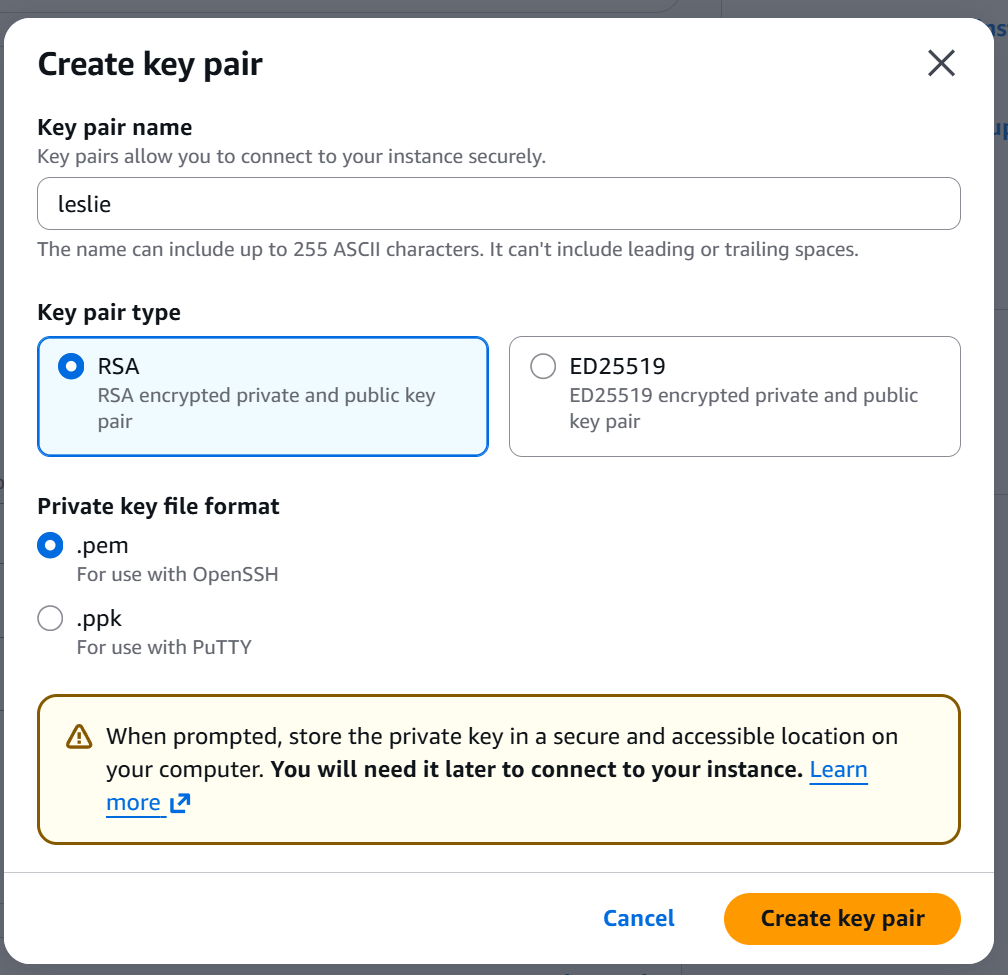
- Create key pair: Just follow along with me. Note: make sure to save the key pair to a specific location on your computer, as you will need it later for the FinalShell SSH login.
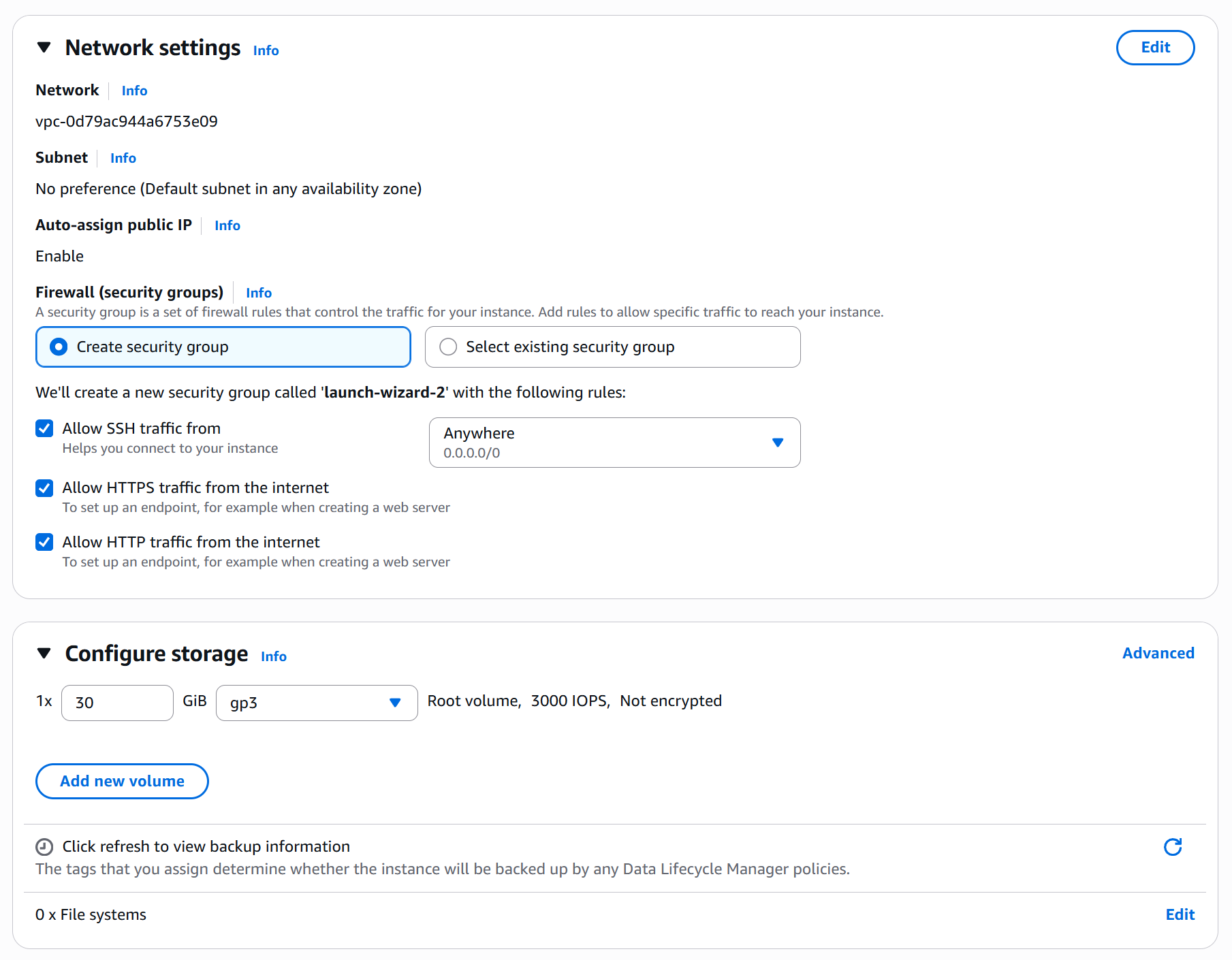
- Firewall: if you don’t have a security group, choose create security group.
Note:for proxy node, you must check the following three options and choose anywhere. - Configure storage:30GB, gp3.
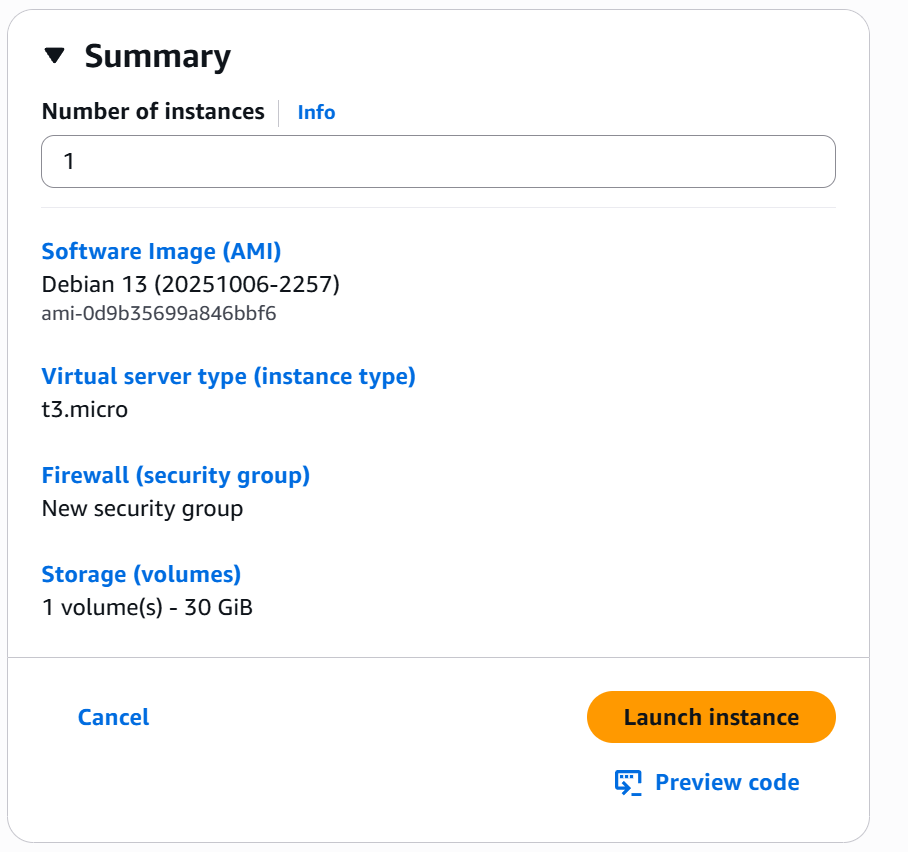
After inspection and confirmation, click Lanch instance.
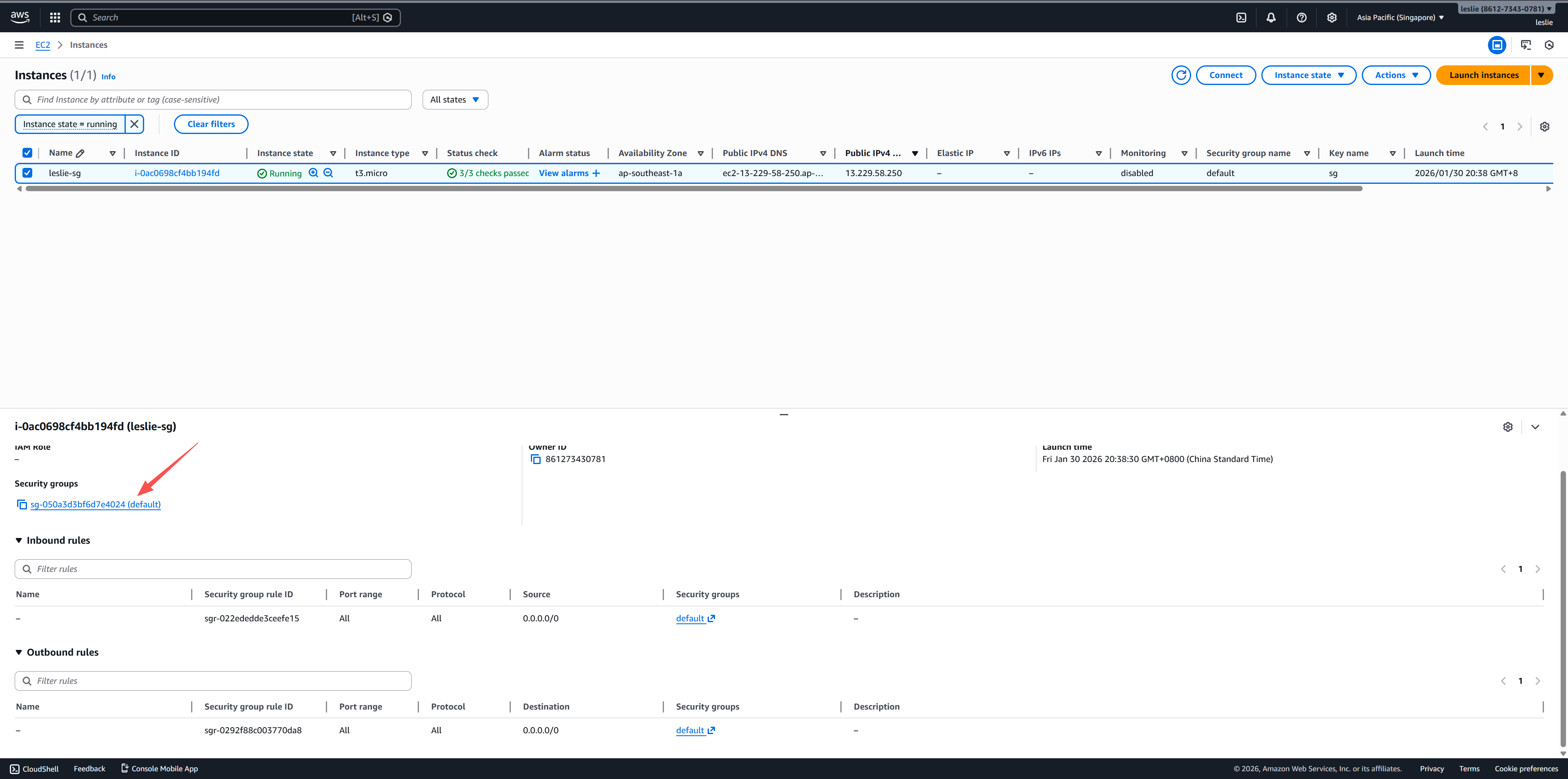


Configure 3x-ui panel via FinalShell
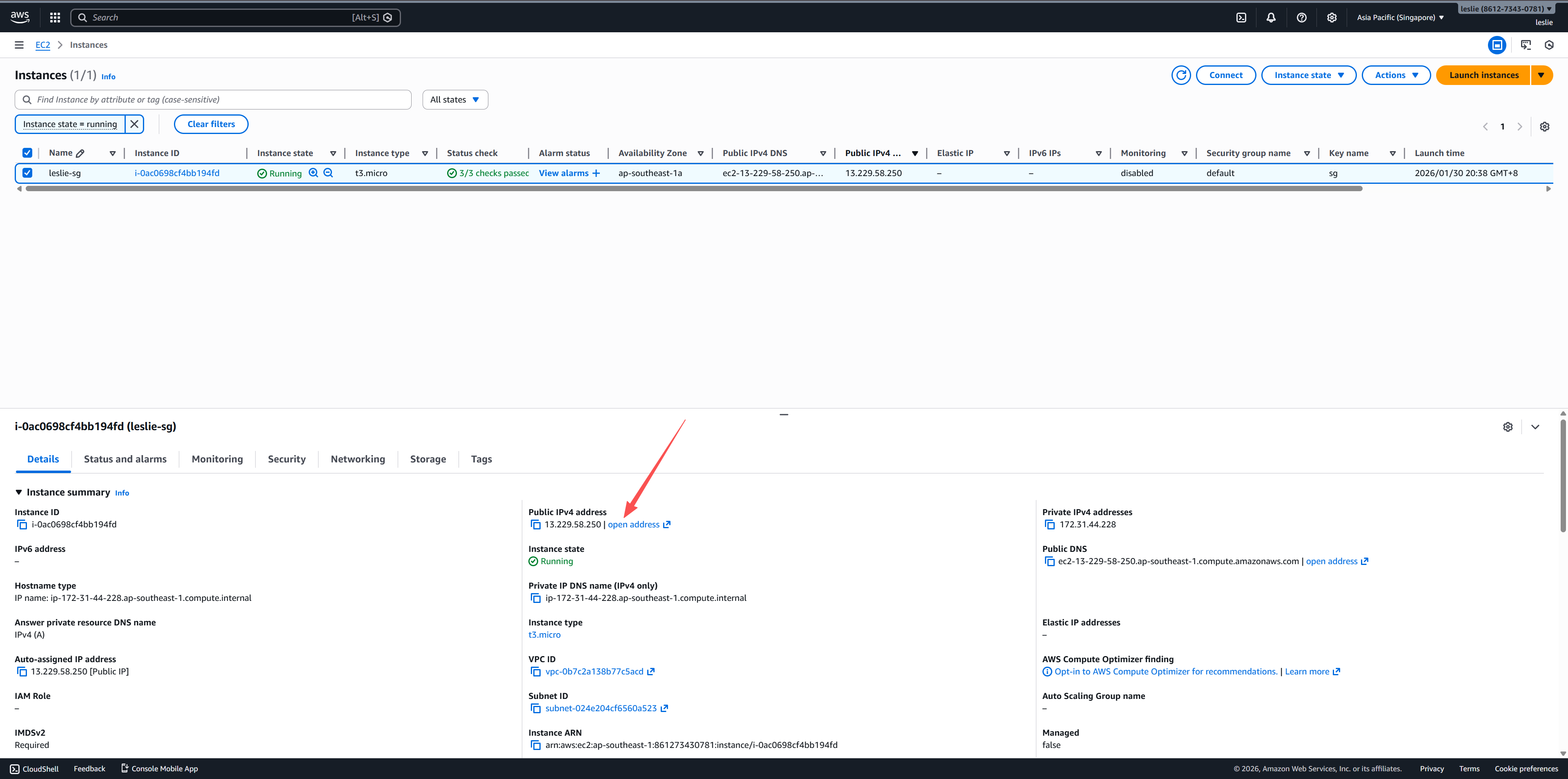
Copy vps public ipv4 address.
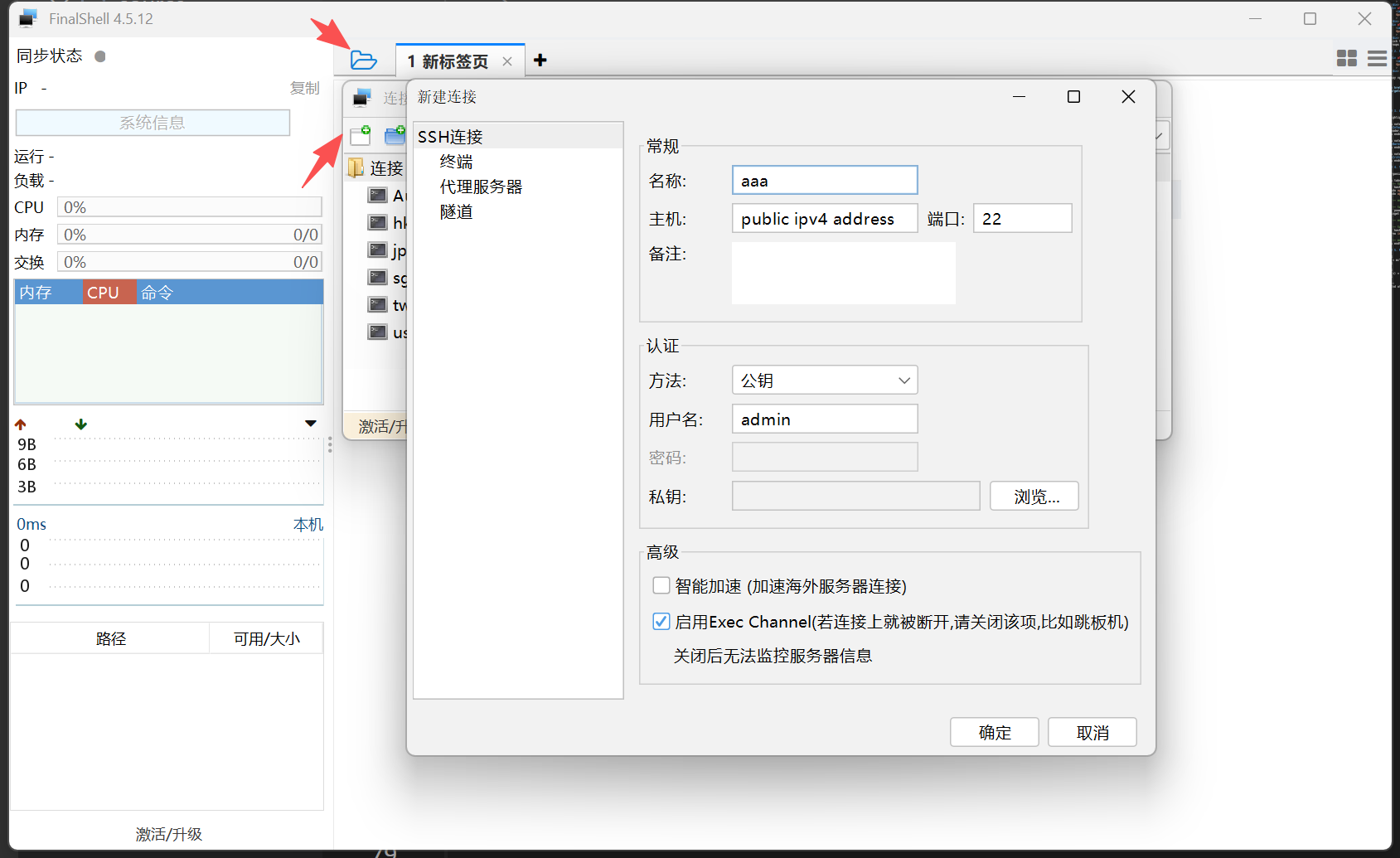
Click the two options shown in the figure in sequence,connection method select SSH, host fill in your vps public ipv4 address, port fill in 22, username fill in admin, import the private key downloaded from AWS.
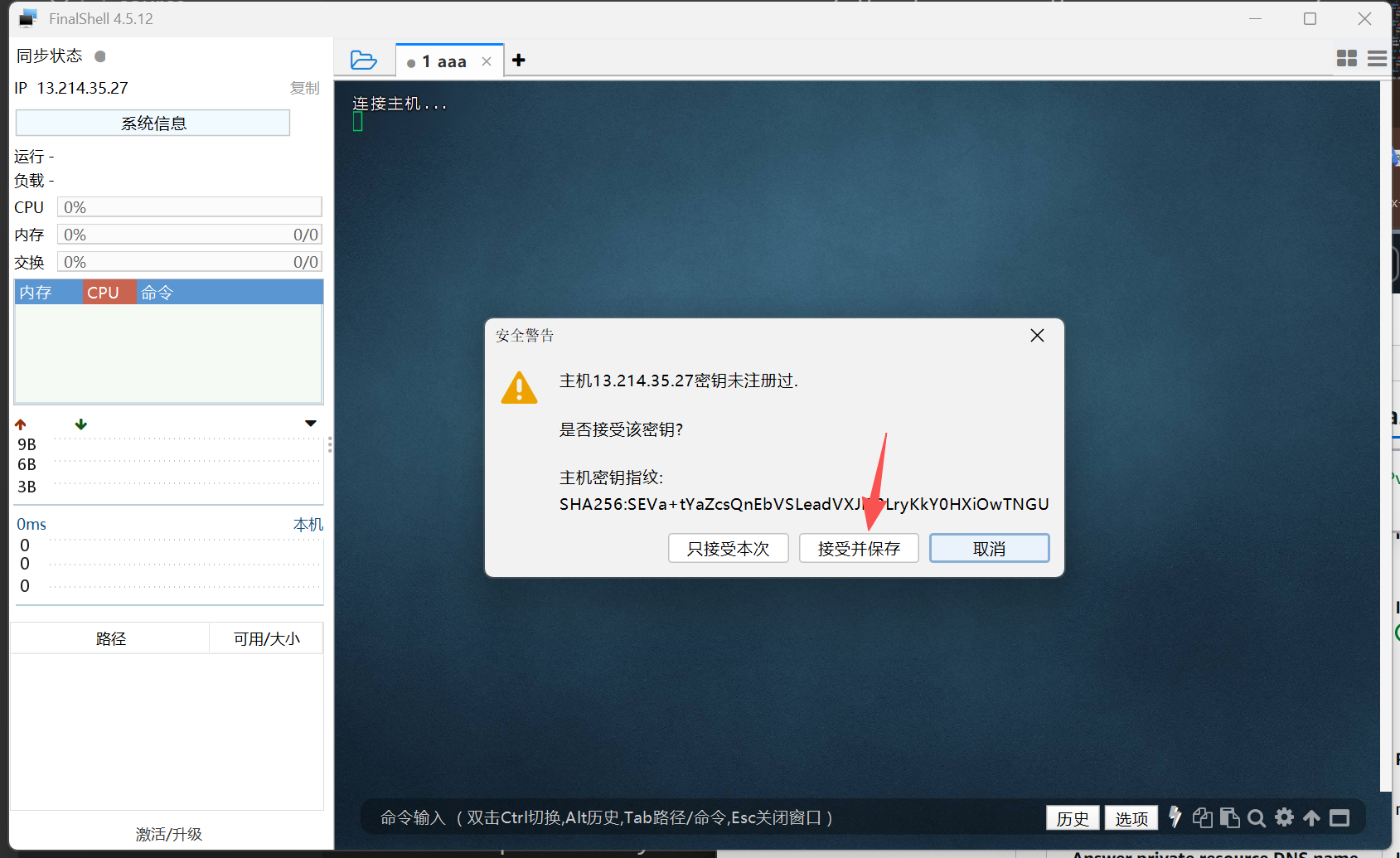
Enter the following commends in sequence.
1 | sudo -i |
- Would you like to customize the Panel Port settings? (If not, a random port will be applied) [y/n]: n
- Choose an option (default 2 for IP): 2
- Do you have an IPv6 address to include? (leave empty to skip):enter
- Port to use for ACME HTTP-01 listener (default 80): enter
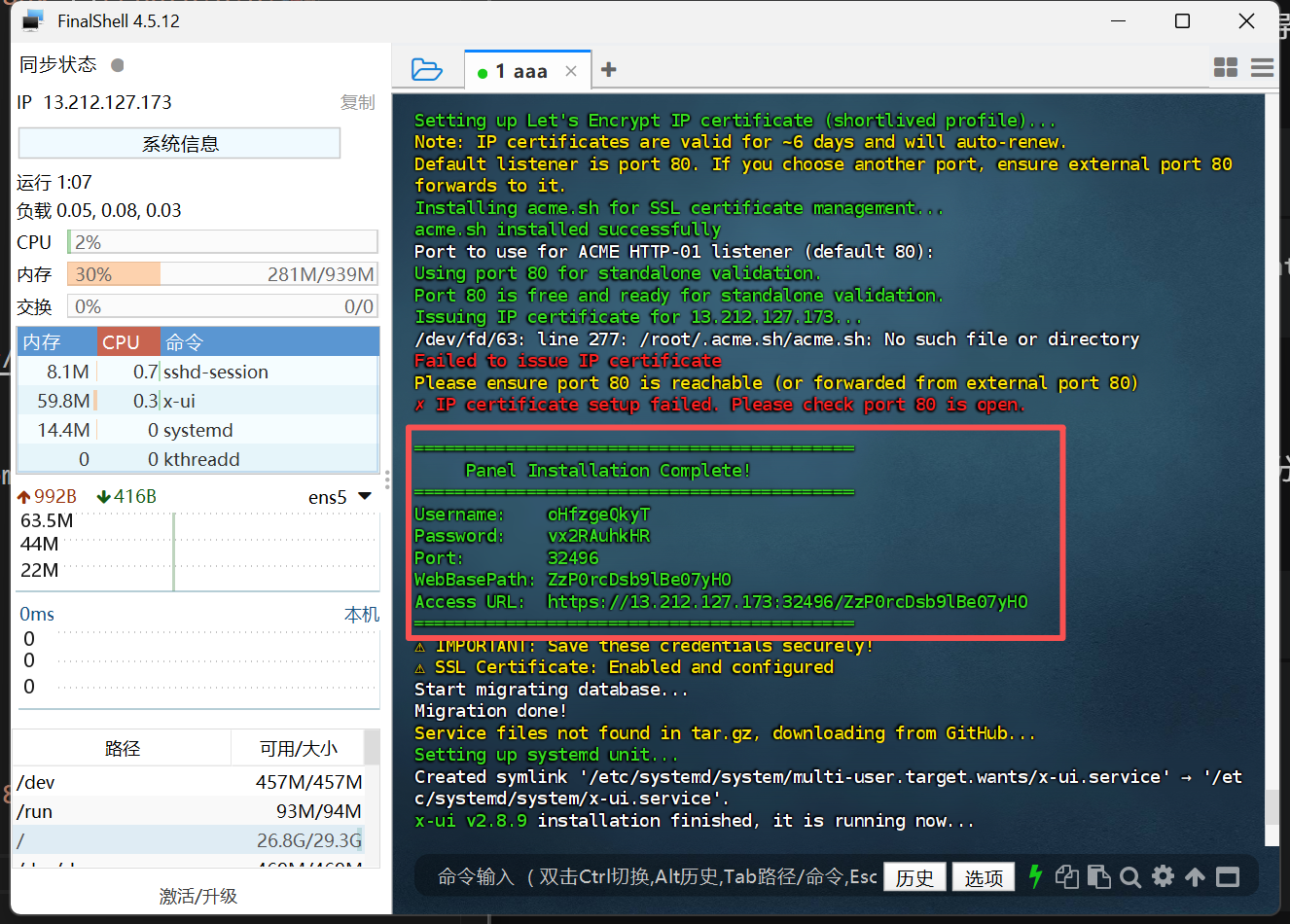
Manually save X-UI login credentials.
1 | x-ui |
Enter 23, then 1, enable BBR.
Enter 18, then 1, configure SSL Security Certificates.
Setting up proxy node on 3x-ui

Open the Access URL in your browser, then enter your username and password.
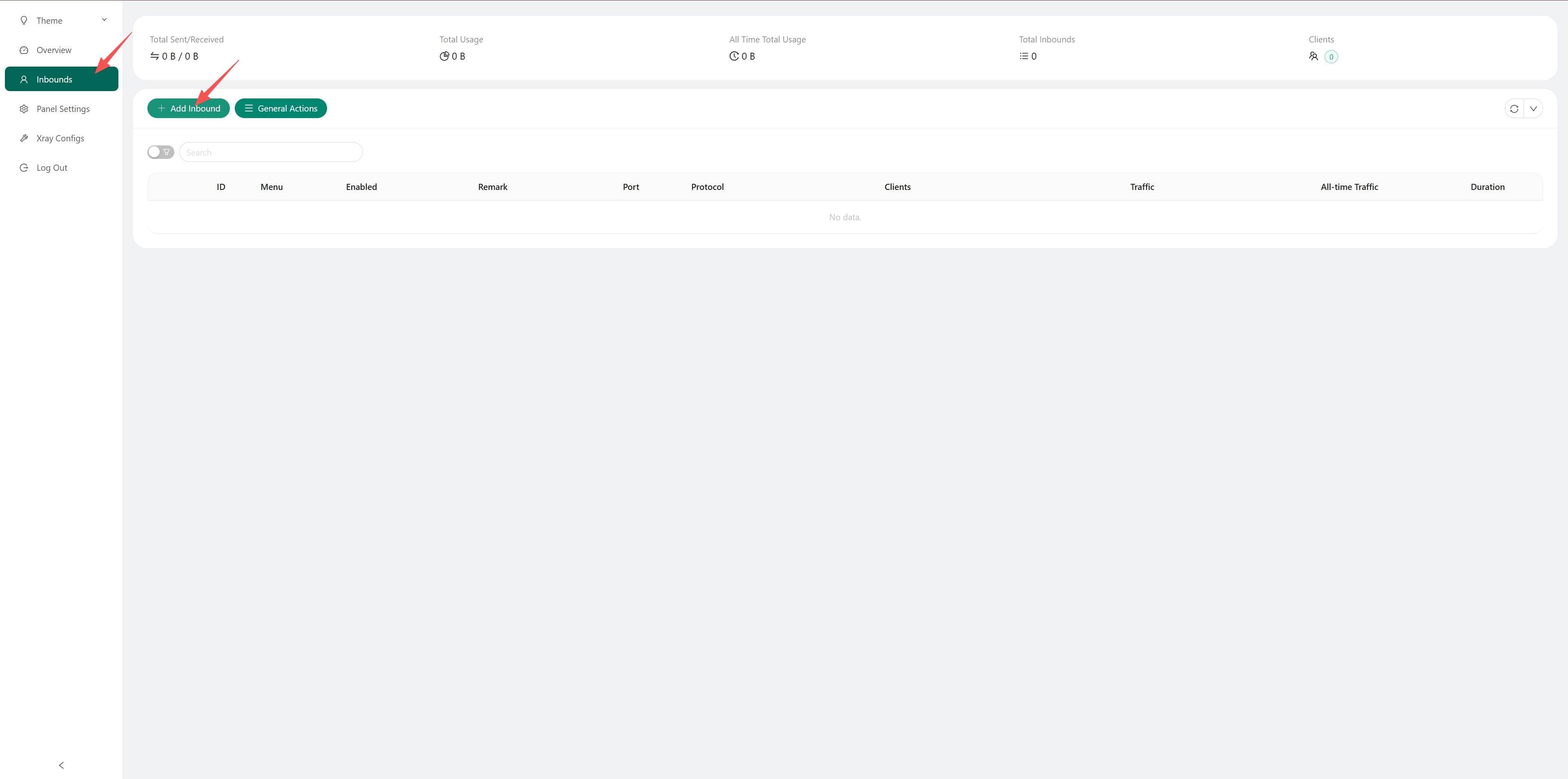
Click Add Inbound to enter the proxy configuration interface.
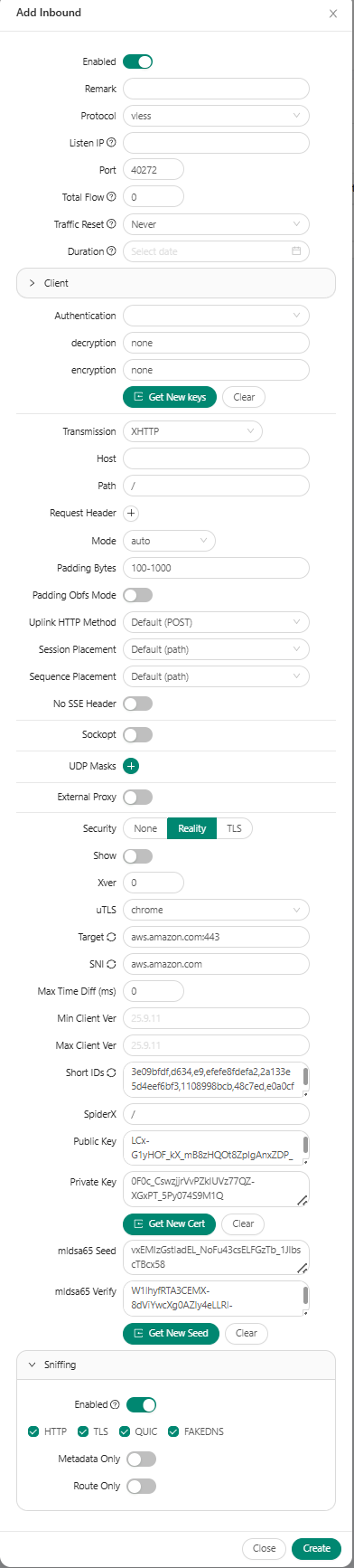
- Protocol: vless
- Transmission: XHTTP
- Security: Reality
- GetNewCert: Click the last two
- Sniffing: Enabled
- Others: default
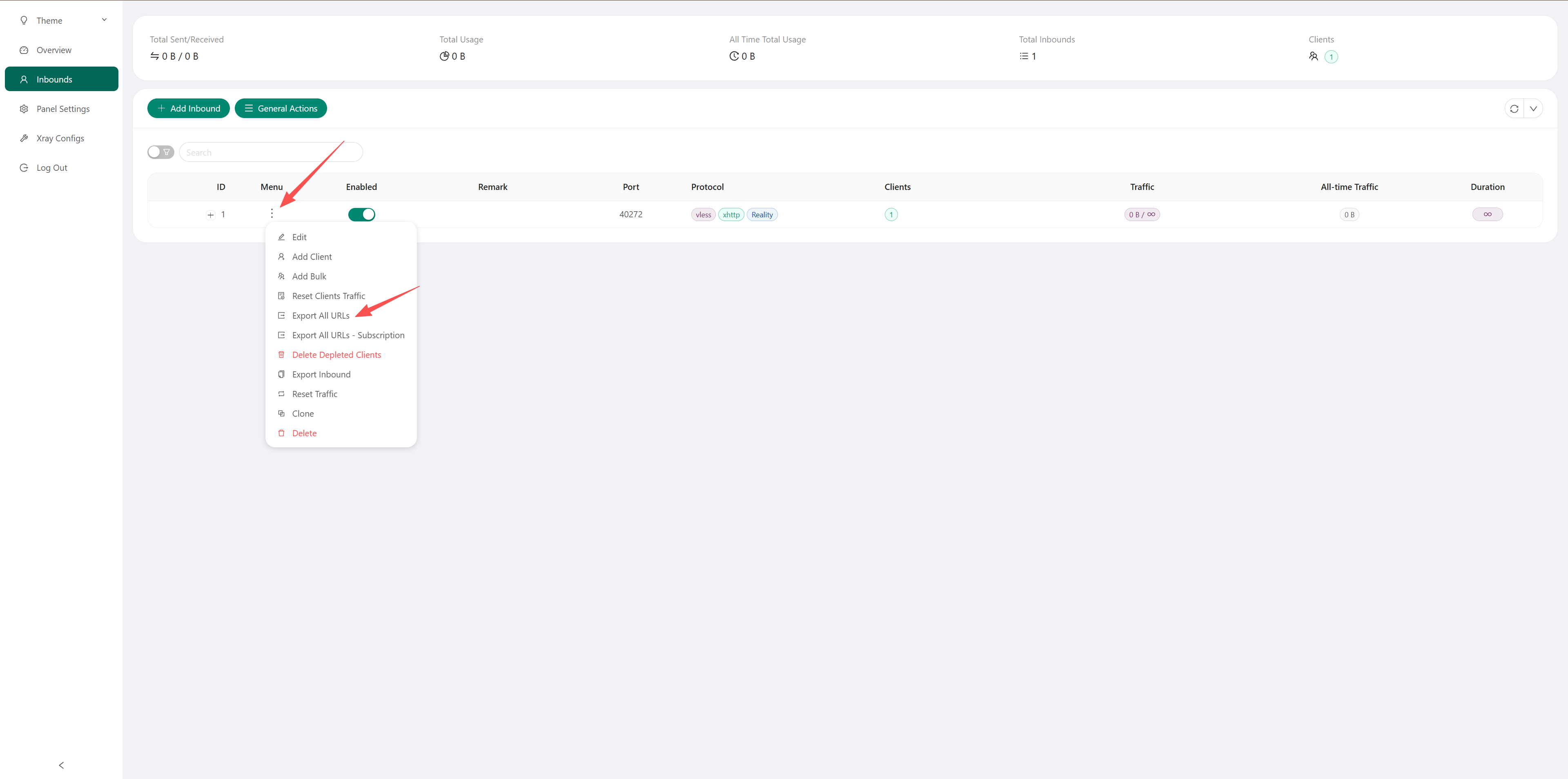
Copy node link, import it into proxy software, such as v2rayn.